
Bulk update product prices using a CSV File

Gaurav S
Last Update há 12 dias
With the Pro App, you can now perform bulk updates of prices using a CSV (Comma Separated Values) file. This process is useful when you have a list of products you want to update and can be done using either an SKU, or product handle, or variant ID
1. Go to Pro Dashboard -> Create a task -> Select All Products in a CSV.
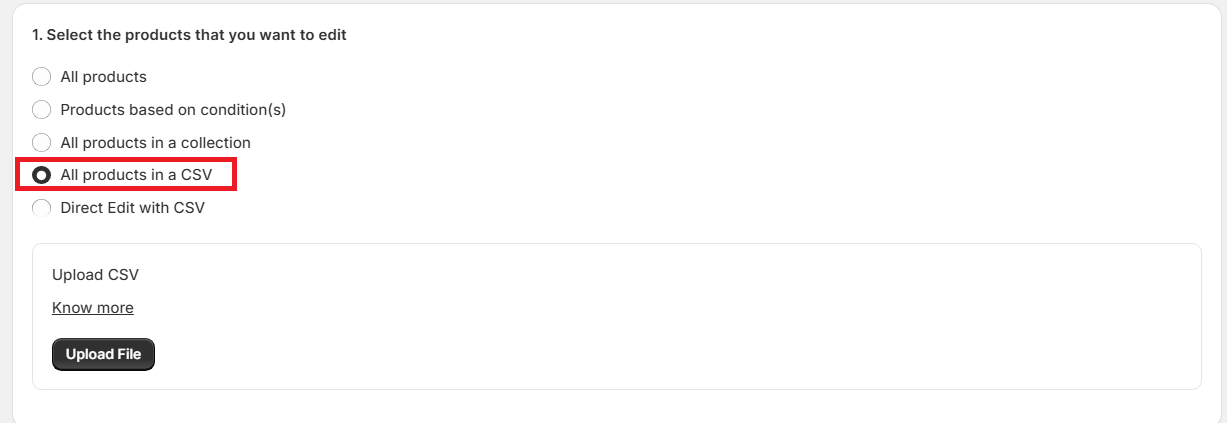
2. Upload a CSV file with either of the below data. The first row of the CSV should have one of the following headers and it is mandatory:
- handle
- SKU
- variant ID
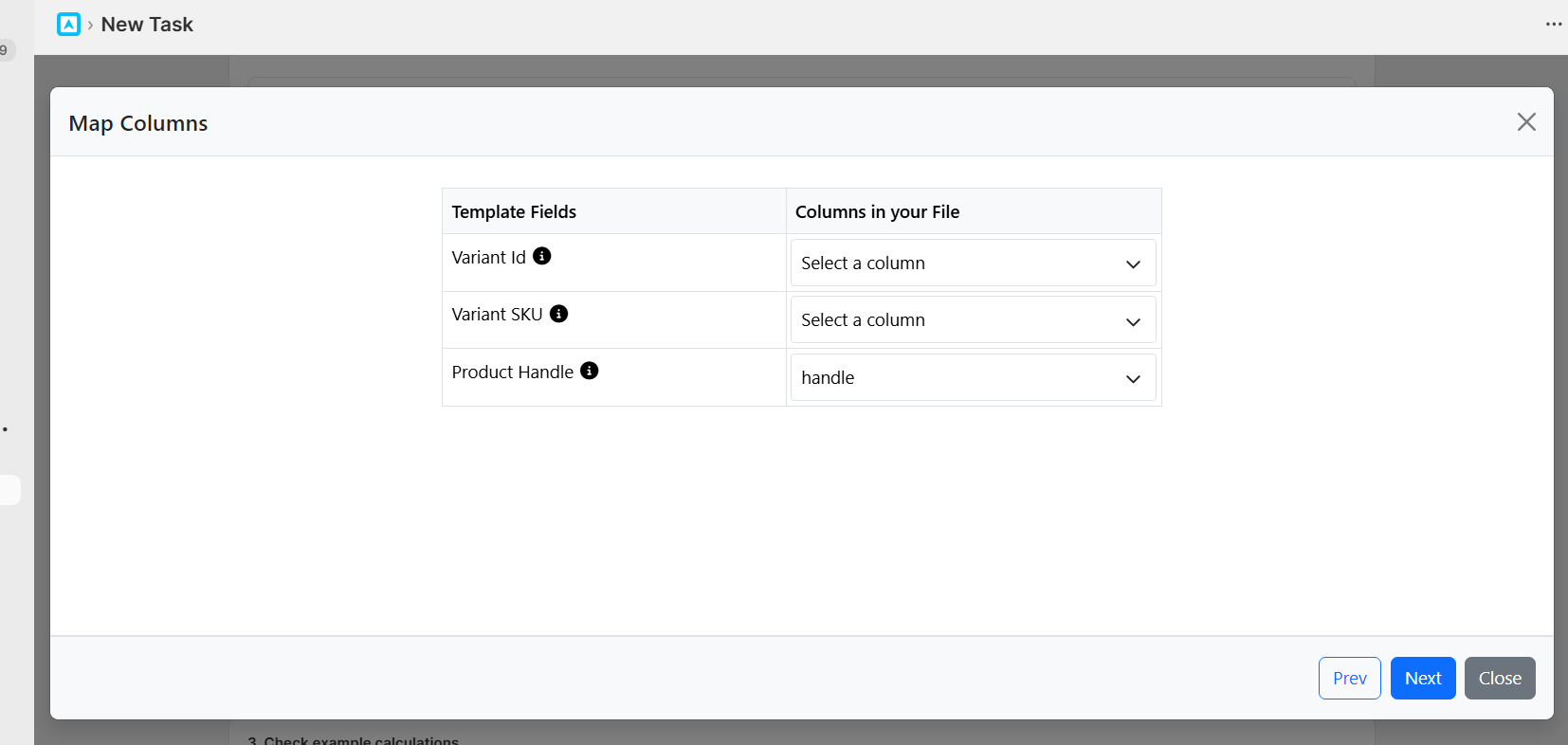
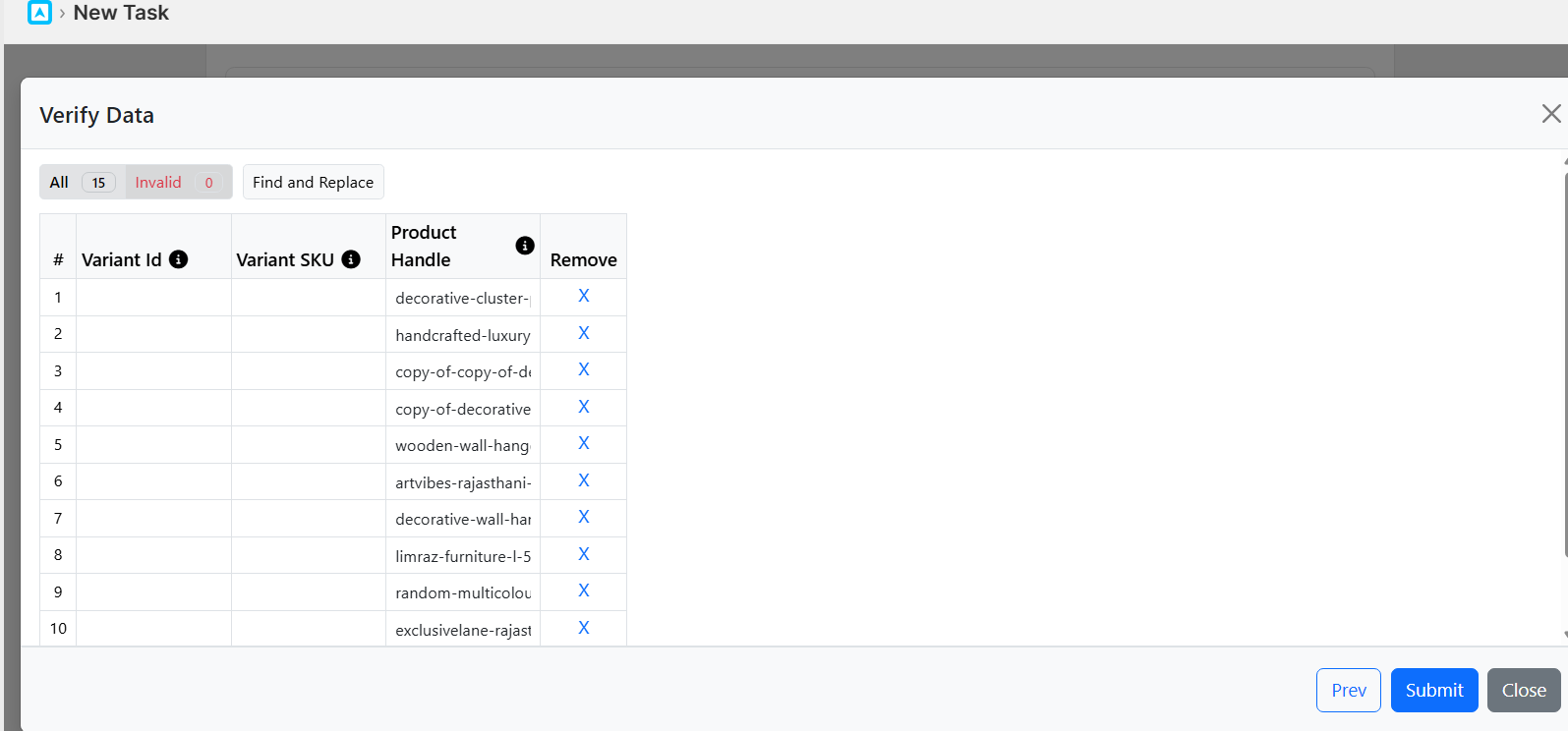
4. Once done, click Save and Next. The app will read the products according to the CSV file and show the count. If a certain SKU, handle, or variant ID is not found in your store, it will show as failed.
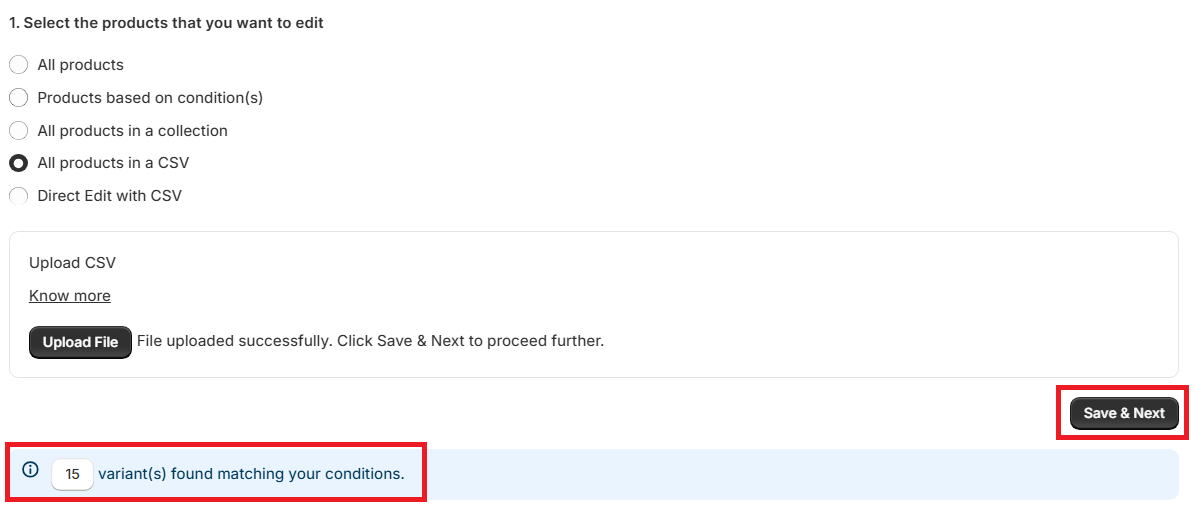
You can then review the failed list and correct it to match the same as you have on Shopify. Once done, you can re-upload it.
Here is a sample CSV:
