
Direct update product prices using a CSV file

Gaurav S
Last Update منذ ١٢ يومًا
With the Pro App, you can bulk update prices directly using a CSV (Comma Separated Values) file.
This feature is especially useful when you have a list of products and want to update Price, Compare Price, or Cost per Item in one go.
You can match products using any of these identifiers:
- SKU
- Product Handle
- Variant ID
How does it work?
1. Go to Pro Dashboard -> Create a task ->Select Direct Edit with CSV.
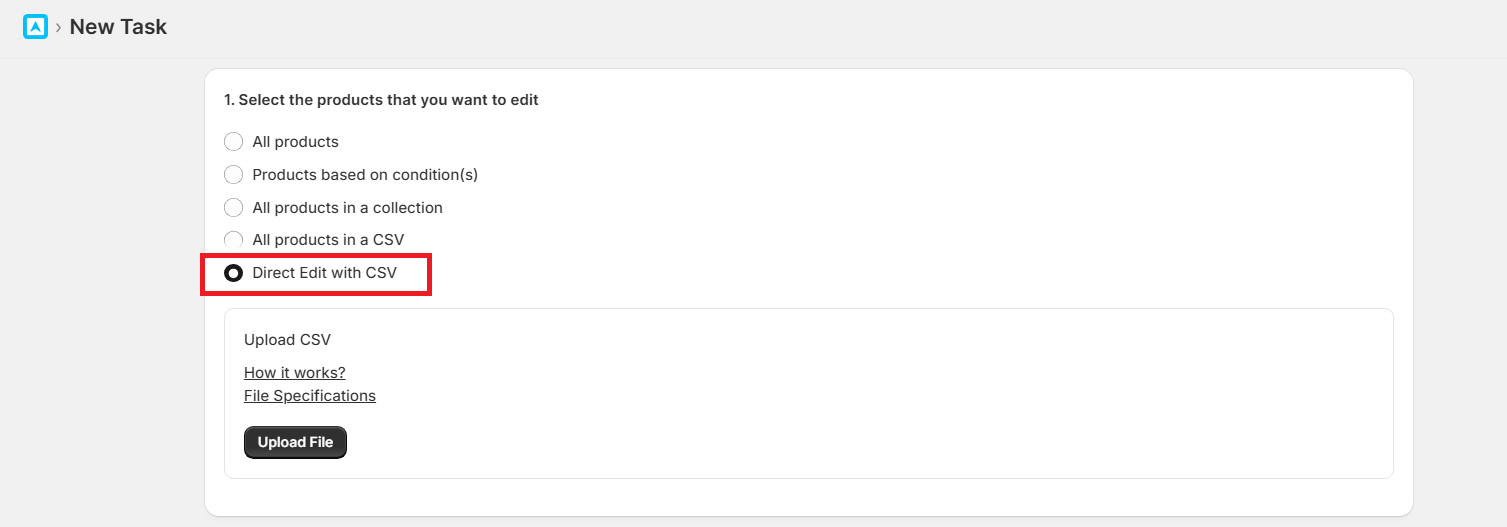
2. Upload your CSV file (must include one of: Handle, SKU, or Variant ID in the first row).
3. Map your file columns with the app’s template fields (Price, Compare Price, Cost Per Item or Cost Price).
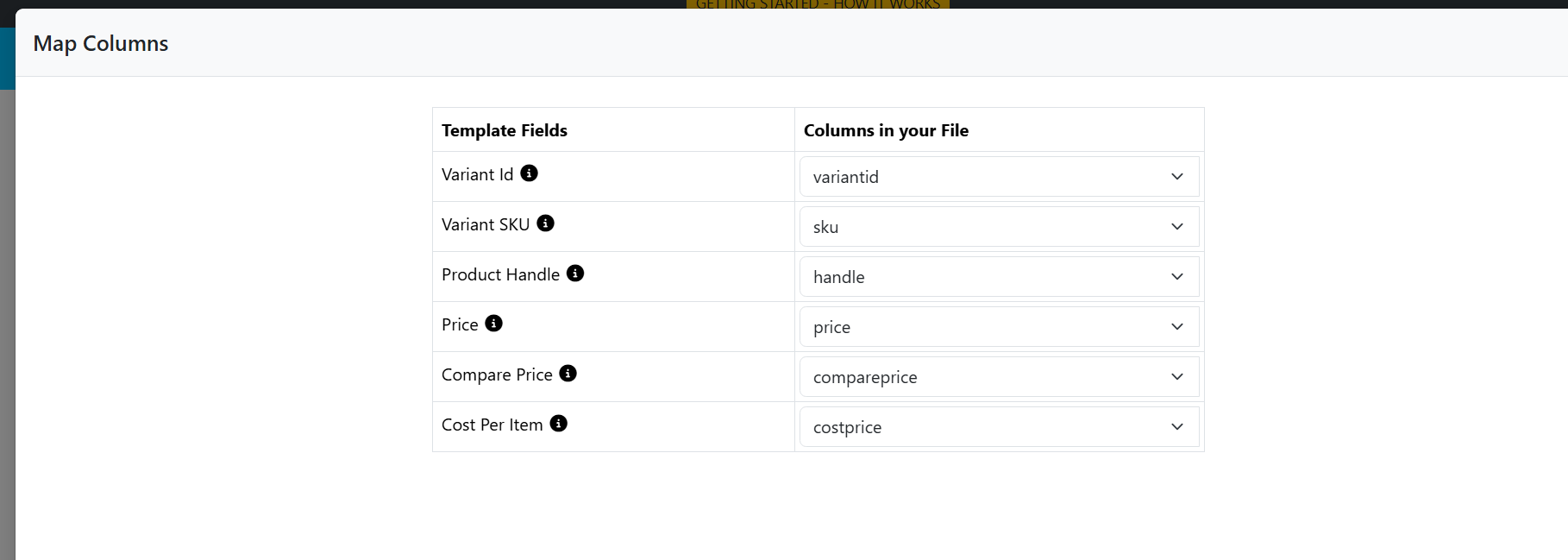
4. Click Next. The app will read the file and show the product count.
- If some products are not found (SKU/Handle/Variant ID mismatch), they will be listed as failed.
- You can fix the values in your CSV and re-upload.
5. Configure the pricing rule as per your requirement.
Note : Click on "check" button in the Check example calculations section ( Mandatory)
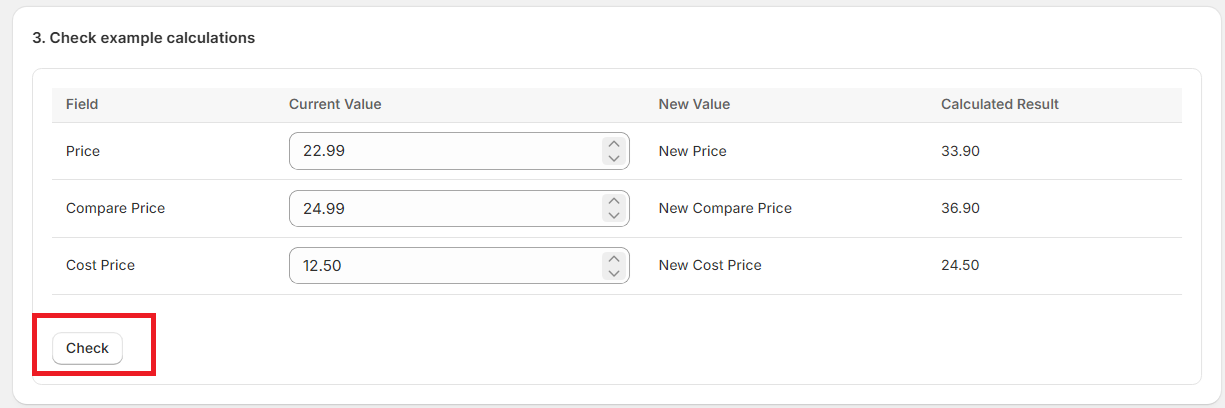
6. Review and confirm to execute the bulk update.
Important Notes:
- If the Price, Compare Price or Cost per Item (Cost Price) columns are missing/empty, the app will not update the prices and the existing price will remain unaffected (existing Shopify price will remain).
- To treat them as blank, you need to add 0 (zero).
- Avoid special characters, symbols, or spaces in identifiers (SKU, Handle, Variant ID), as these may cause issues.